Getting Portal Access
Getting Portal Access
Customers don't register for the portal themselves — the credit team gives them access. This keeps control with the business: only customers you've set up can log in, and each one sees only their own data.
How the credit team provisions access
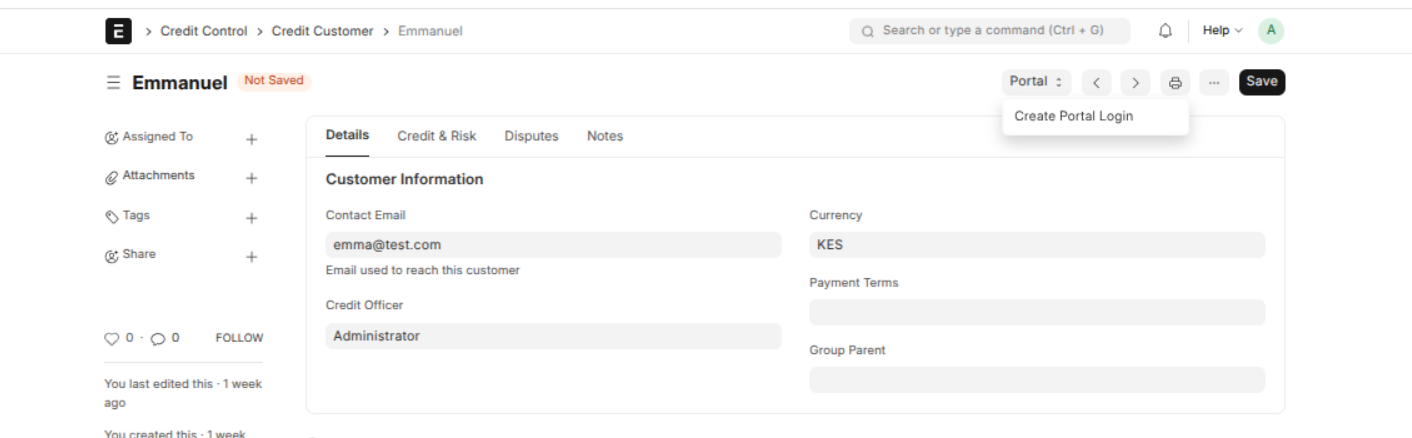
- Open the customer's Credit Customer record.
- Click the Create Portal Login button.
- The system creates a portal account for that customer, linked to their contact and email.
- On a production deployment with email configured, the customer automatically receives a link to set their own password.
How the customer signs in
Once they have a password, the customer goes to the portal address you've given them and signs in with their email and password. From there, they land on their Invoices list and can use everything the portal offers.
Last updated 2 months ago
Was this helpful?