Recording a Promise to Pay.
Recording a Promise to Pay
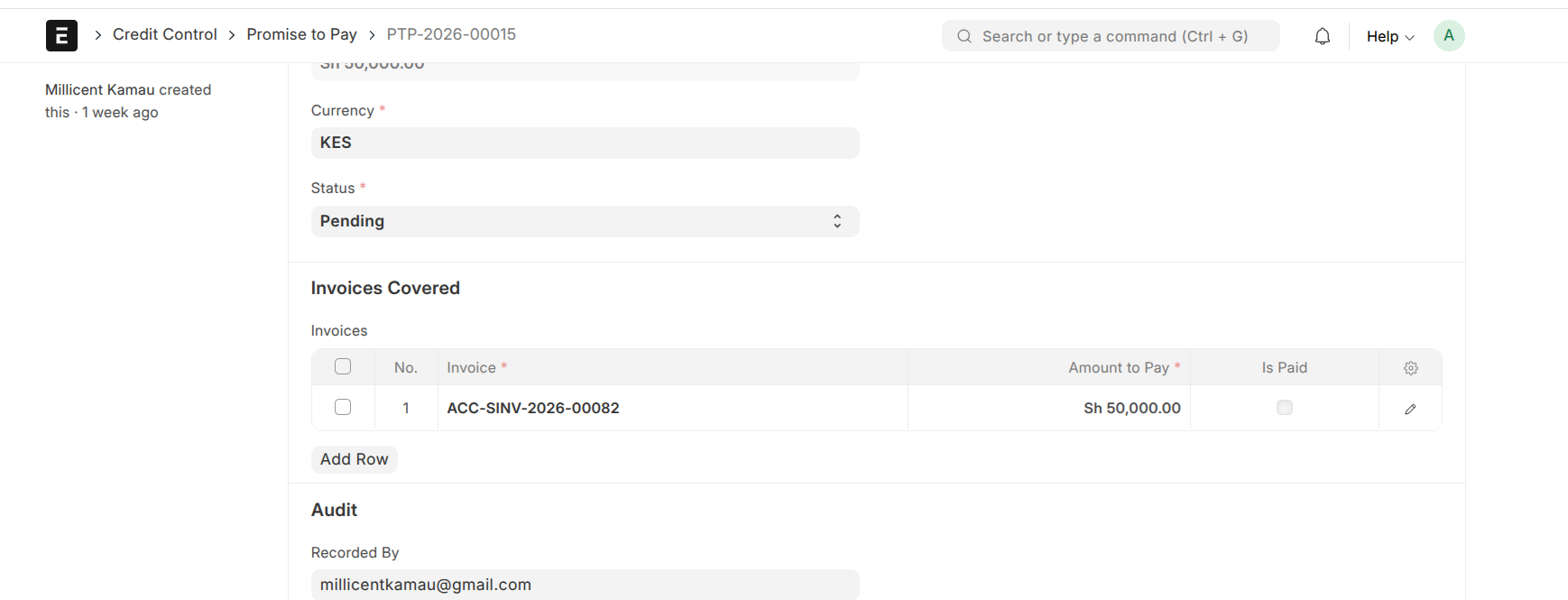
A Promise to Pay (PTP) records a customer's commitment to pay one or more specific invoices by a future date. It's most often recorded during a collections call, when a customer says "I'll pay this invoice by next Friday." While a promise is active, collections on those invoices pause — you don't chase someone who has committed to paying.
Who records one
- Collector — most common, during a call
- Credit Analyst or Manager — when working with the customer
- Customer — through the self-service portal
How to record a promise
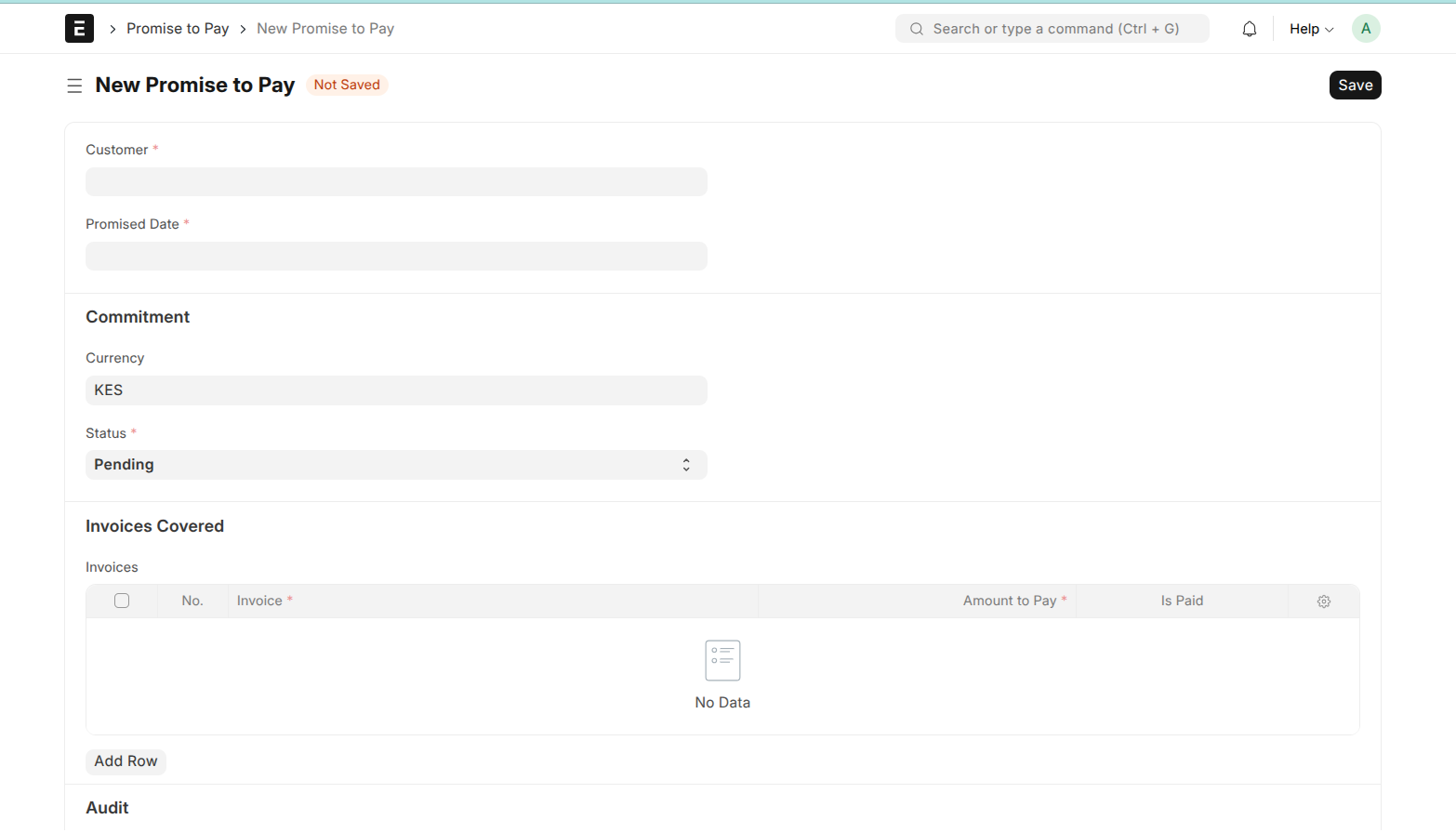
- Go to Promise to Pay and click New.
- Select the Customer and the Promised Date (when they say they'll pay — can't be in the past).
- In the Invoices table, add a row for each invoice they're promising, with the amount they'll pay on each (can be partial).
- Use Notes to capture context — what the customer said, any conditions.
- Save. The promise starts as Pending.
How the outcome is tracked
You don't have to check every promise by hand. A daily job runs automatically and, once a promise's date has passed, checks whether the promised invoices were actually paid and sets the status:
- Kept — all promised invoices were paid
- Partially Kept — some were paid, not all
- Broken — none were paid
So a promise that isn't honoured is flagged as Broken on its own. There's a short grace window — a promise isn't judged the instant its date passes, giving a day or two for payment to clear.
How a promise pauses collections
While a promise is active, the customer isn't chased for the invoices it covers — dunning steps skip those invoices and record the reason. A promise counts as active while it's still Pending and its date hasn't passed. The one exception is legal escalation, which proceeds regardless (see Collections and Dunning).