Reading the AR Dashboard
Reading the AR Dashboard
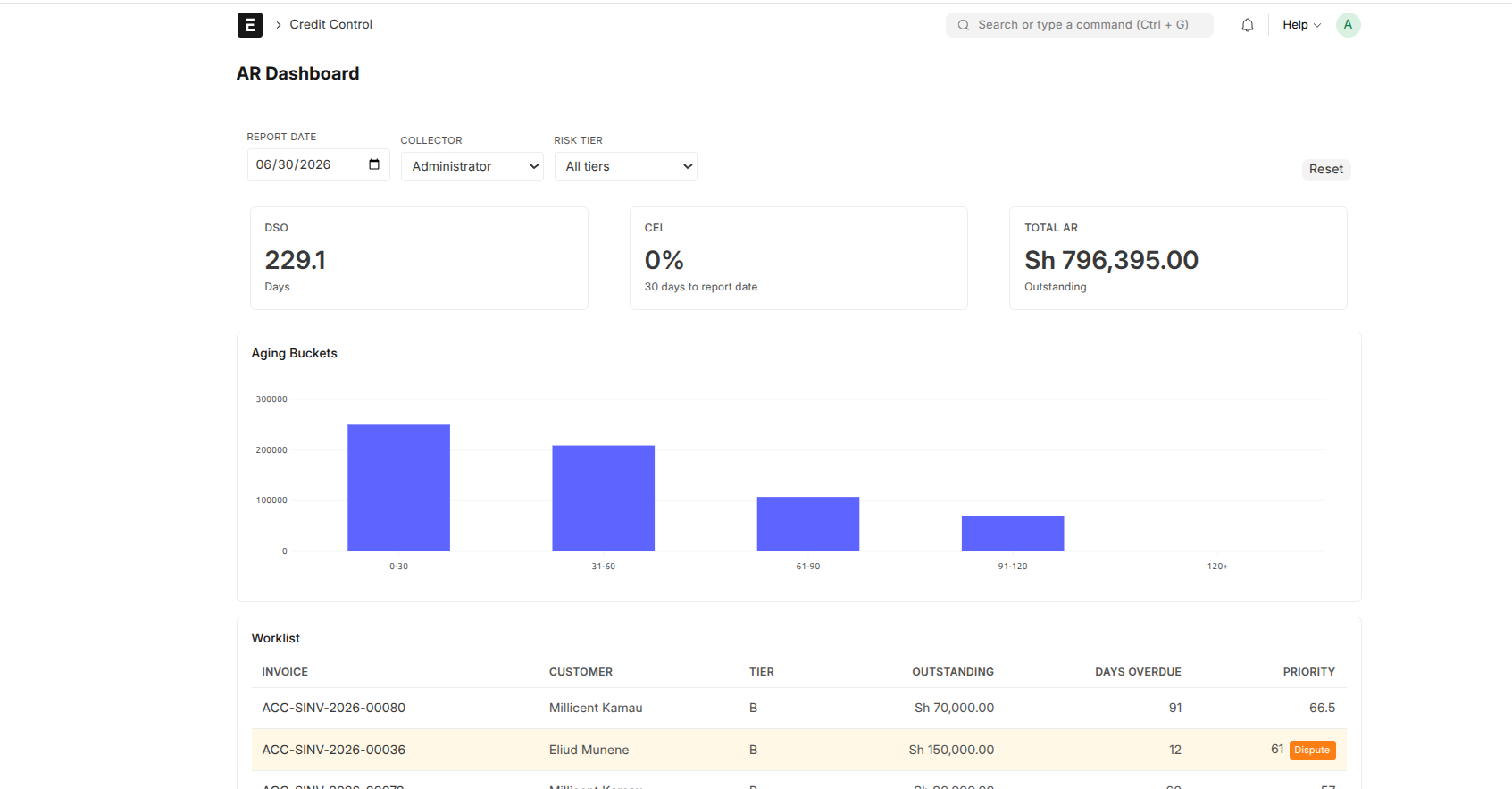
The AR Dashboard is where the credit team starts the day. It pulls together every outstanding customer invoice and answers the questions you actually care about: who owes us money, how late are they, and where should we put our energy today.
Open it at AR Dashboard from the Credit Control workspace.
The aging buckets
Outstanding invoices are grouped by how overdue they are — Current (not yet due), 1–30 days, 31–60, 61–90, and 91+ days. The further right an amount sits, the more urgent it is: money in the 91+ bucket is significantly harder to collect than money 15 days late.
The two headline numbers
- DSO (Days Sales Outstanding) — on average, how many days it takes to get paid after a sale. Lower is better; a rising DSO is an early warning that collections are slipping.
- CEI (Collection Effectiveness Index) — how much of what could have been collected actually was, as a percentage. Closer to 100% is better.
The priority worklist
The dashboard ranks accounts so each collector knows who to chase first — factoring in how much is owed, how overdue it is, and the customer's risk tier.
Narrowing the view
You can filter by collector, risk tier, customer group, and date range. The filters stack — so "tier D accounts assigned to a specific collector, overdue this quarter" is one click away.
Disputed invoices
Invoices with an open dispute are flagged separately. A disputed amount isn't really "overdue" in the normal sense — the customer is contesting it, and the system isolates it from credit calculations — so the dashboard keeps disputed invoices visible but distinct, and nobody chases money that's legitimately under review.