Steps to create a Real Estate Agent
Real Estate Agent
- Search Real Estate Agent list.
- Click Add Real Estate Agent.
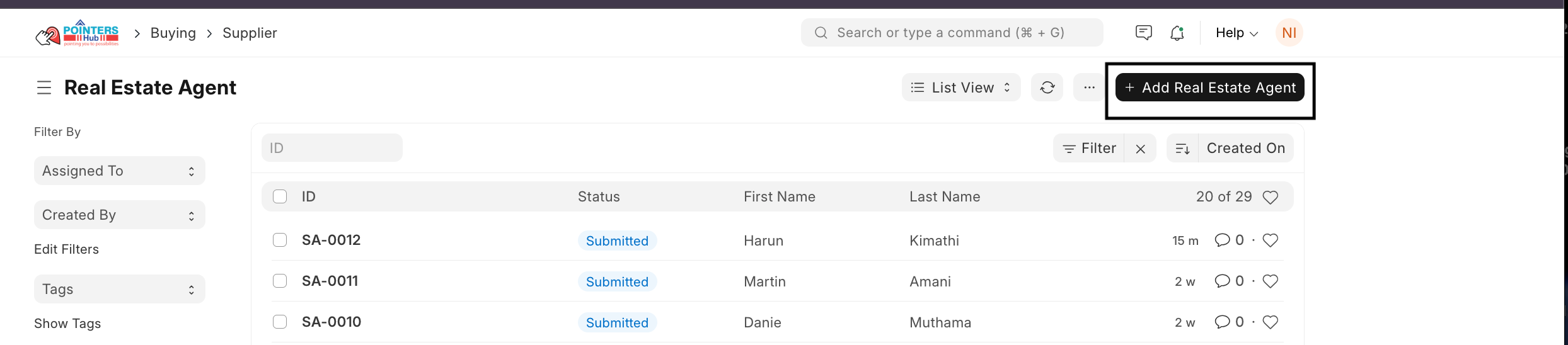
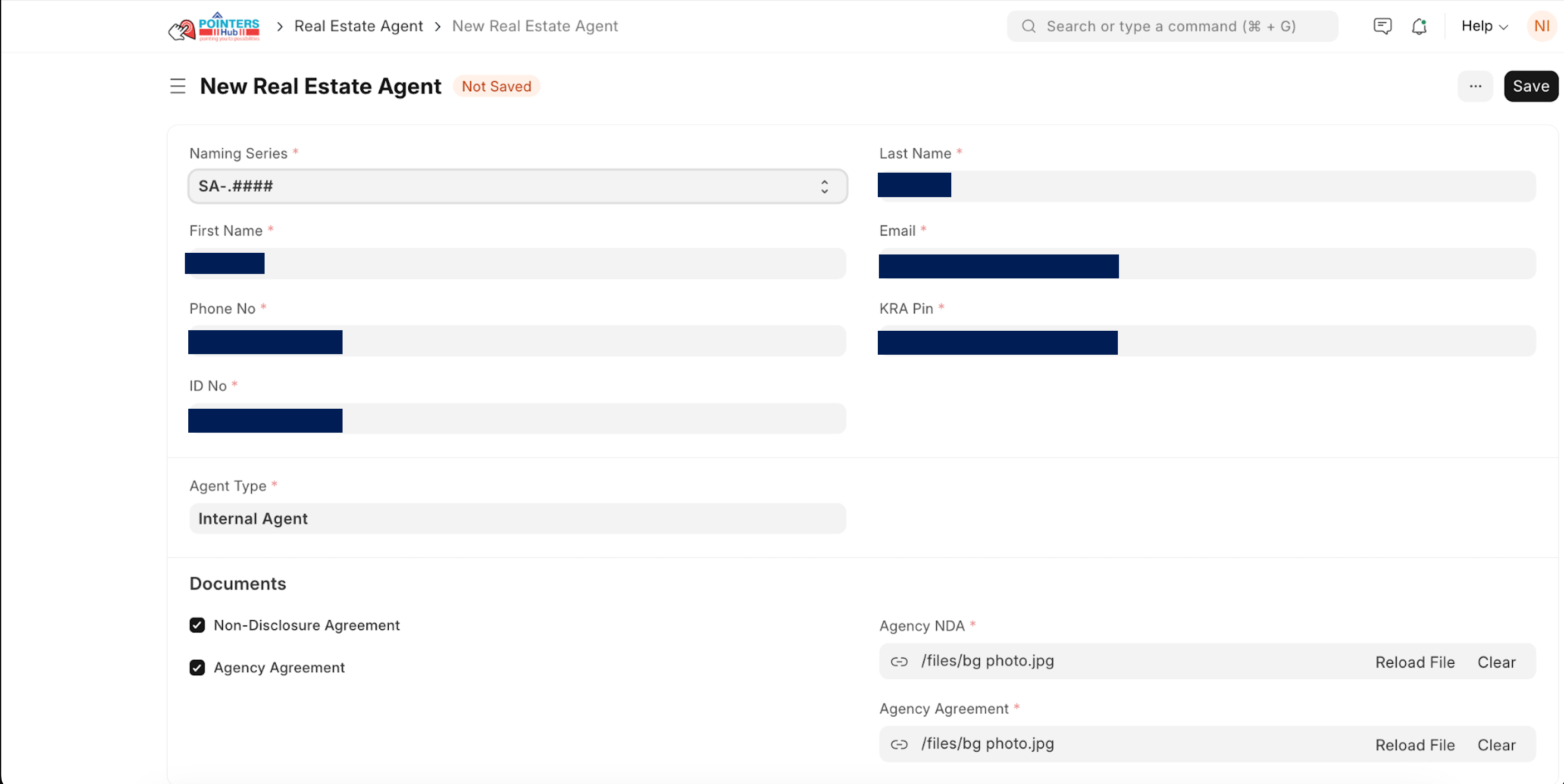
Fill in the required details:
- Naming Series
- First Name
- Last Name
- Phone Number
- KRA Pin
- ID Number
- Agent Type
- Upload required documents:
- Non-Disclosure Agreement
- Agency Agreement
- Click Save and then Submit.
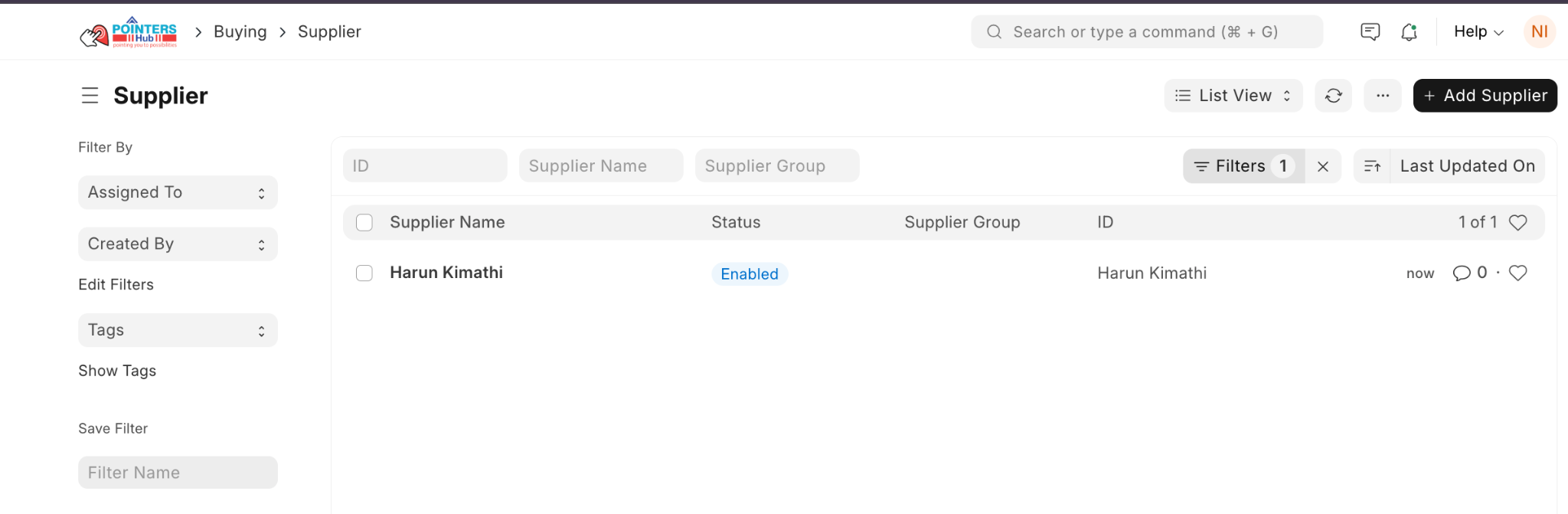
Link Agent to Supplier
- Open the submitted agent record.
- Go to Connections.
- Click the created linked Supplier.

- Open the Supplier record.
Portal User
- Fill in the user email under Portal Users tab to open User record.

- Open the created User record.
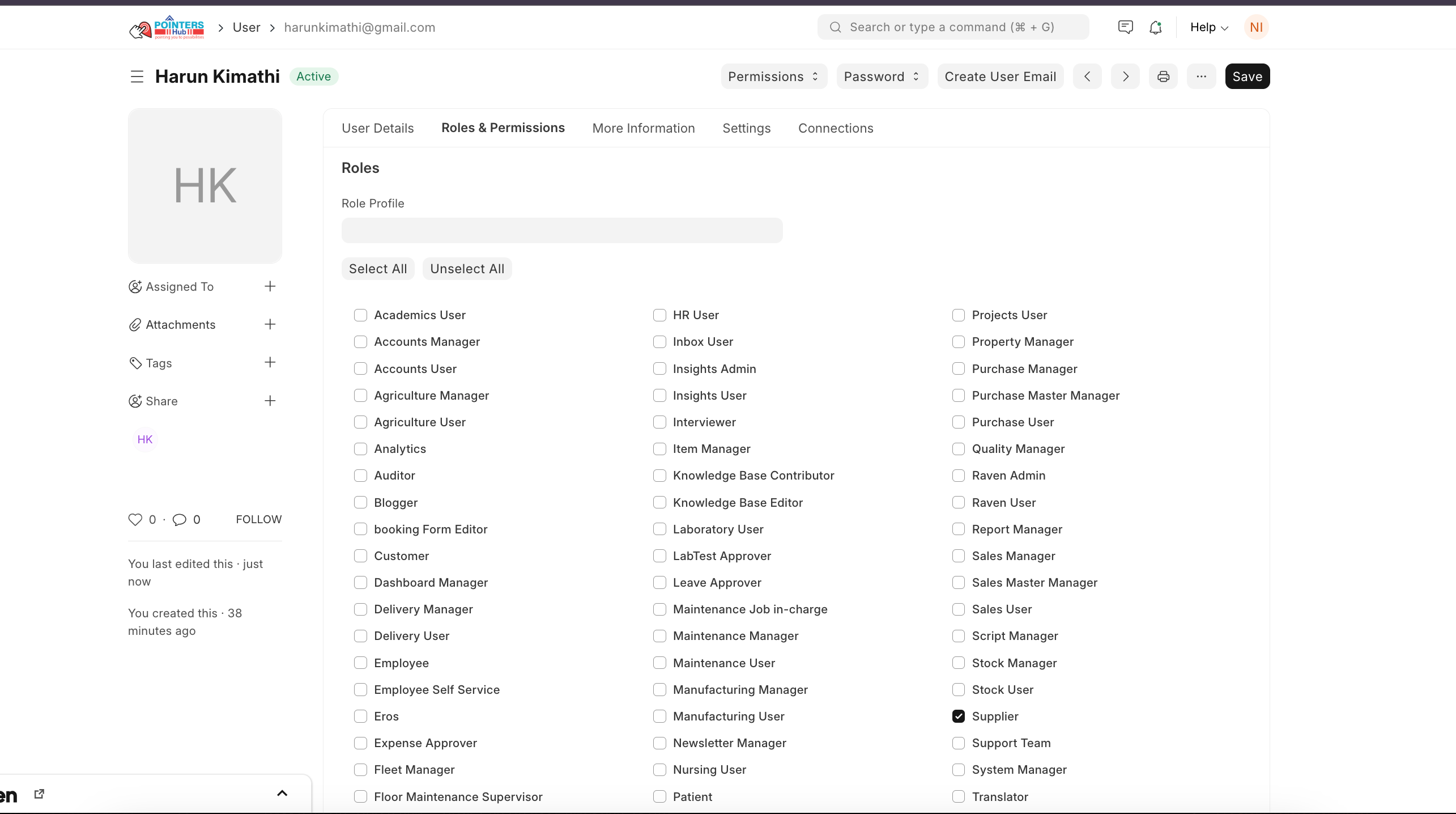
- Go to Roles & Permissions tab.
- Confirm the Supplier role under Roles and Permissions (for portal access). Click Save.
Set Password
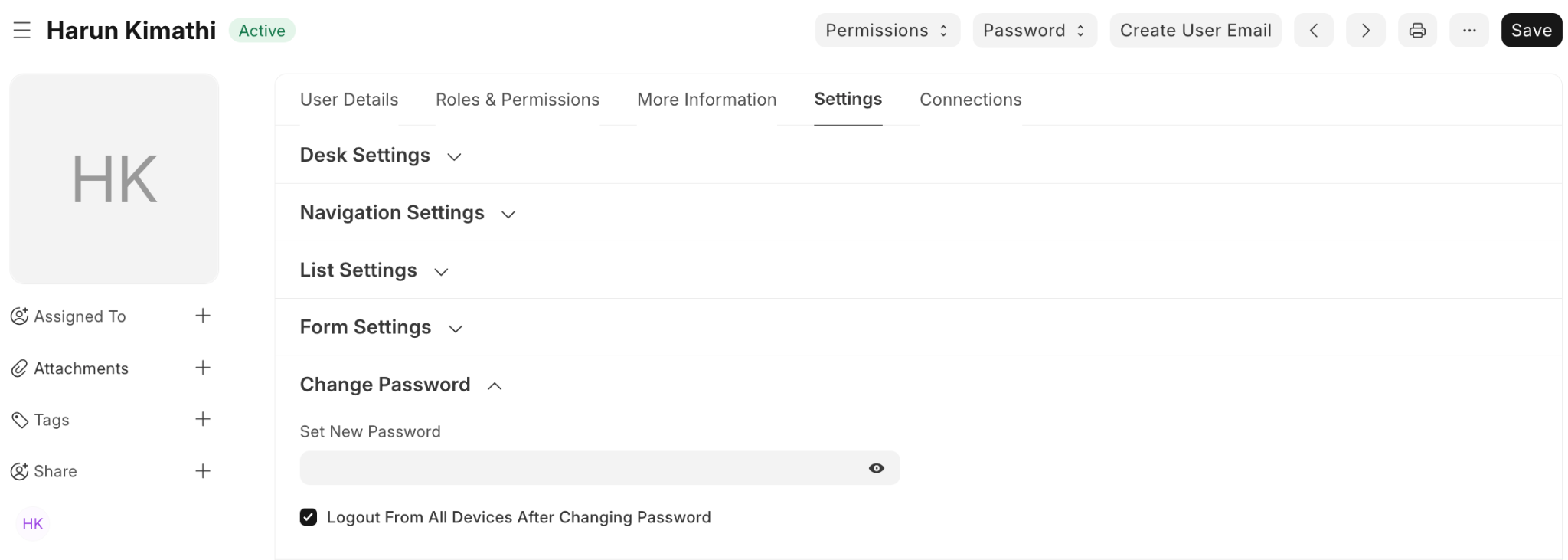
- Go to Settings tab.
- Set a new password.; (Optional) Enable Logout from all devices after password change.
- Click Save
Last updated 4 months ago
Was this helpful?