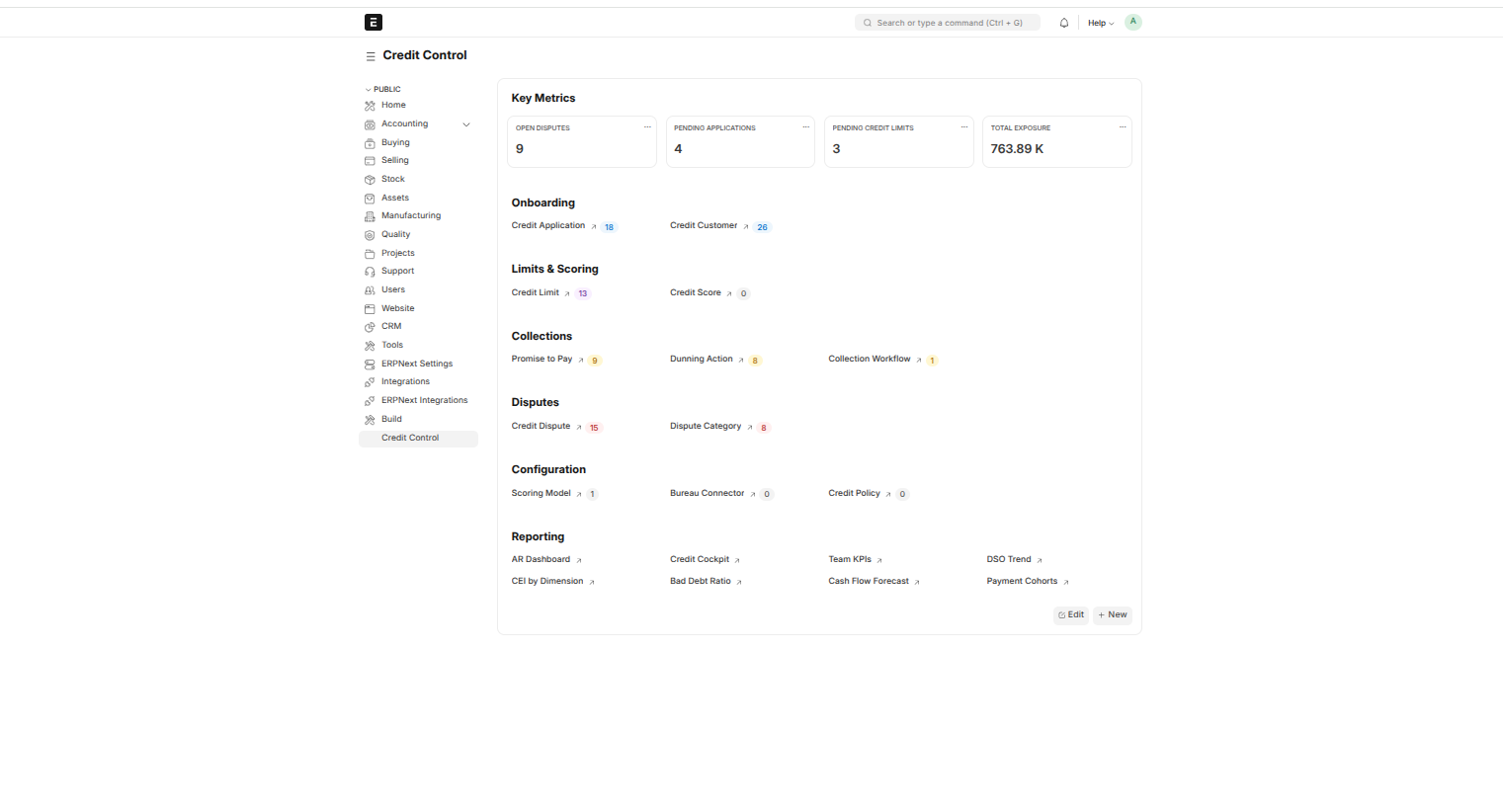
The Credit Control Workspace.
The Credit Control Workspace
Once you're logged in, the Credit Control workspace is your home screen — reach it any time from the left sidebar. Think of it as the front door to everything: it has shortcuts to every part of the system (credit applications, customers, limits, disputes, promises to pay, dunning, the AR Dashboard, the Credit Cockpit, and more), so you rarely need to remember where anything is — just open the workspace and click through.
The summary cards
At the top of the workspace, a few cards give you the day's headline numbers at a glance:
- Open Disputes — how many disputes are currently open
- Pending Applications — credit applications awaiting a decision
- Pending Credit Limits — credit limits awaiting approval
- Total Exposure — the total outstanding amount across all customers
These are quick pulse-checks — click through to the relevant list to act on any of them.
Getting around
The shortcuts below the cards take you straight to any part of the system. The workspace also links to the reporting and analytics views — DSO trends, collection effectiveness, and more — covered in the Dashboards & Reporting section.