Dunning Message Templates
Dunning Message Templates
When the dunning ladder sends a reminder, the wording comes from a template — so every customer receives a consistent, professional message with their own details filled in automatically. Templates are standard ERPNext Email Templates, which means anyone with the right access can edit the wording without touching any code.
The reminder email
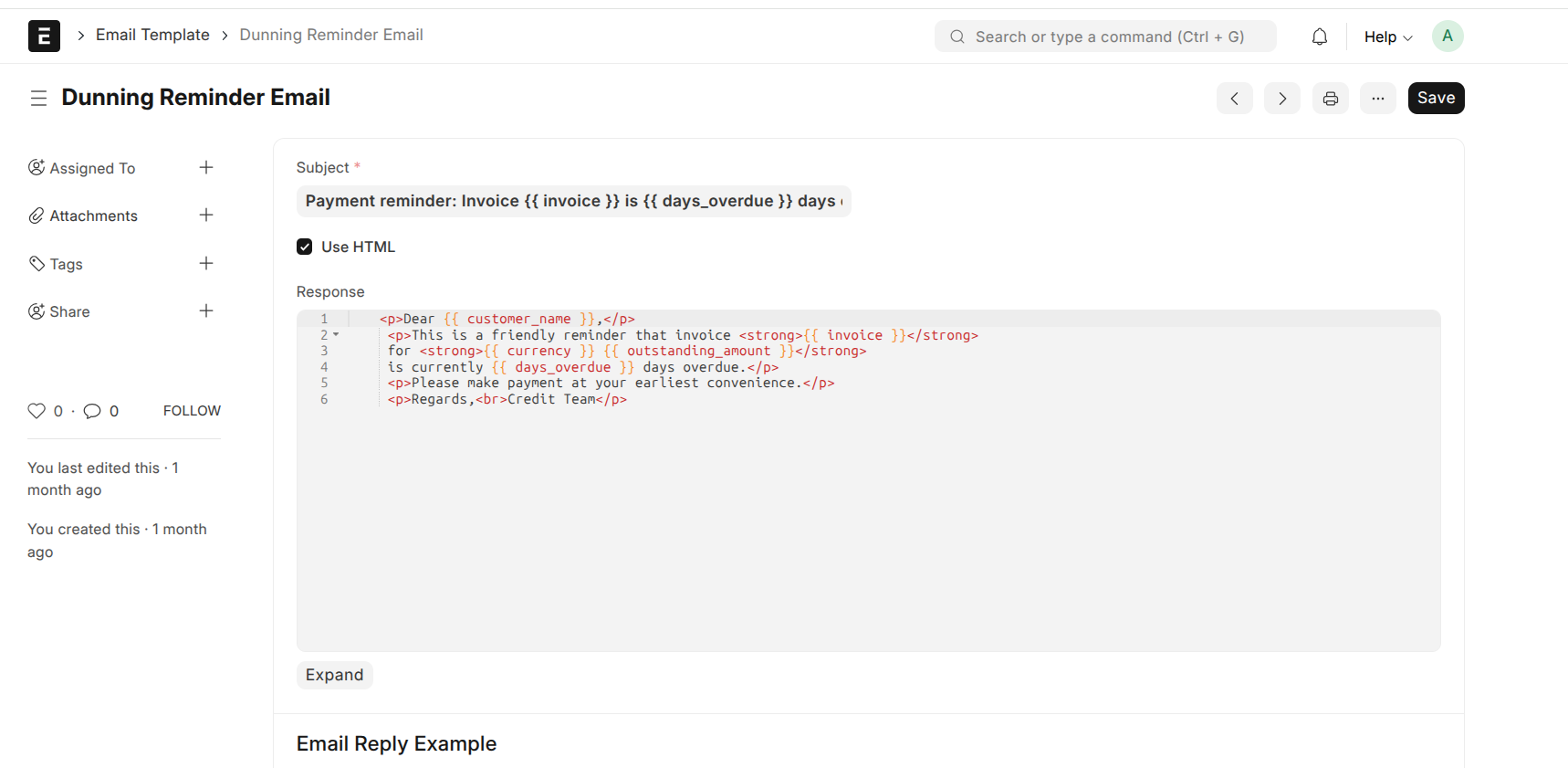
The 7-day step uses an email template called Dunning Reminder Email. It fills in each customer's details automatically. The current version reads:
Subject: Payment reminder: Invoice {{ invoice }} is {{ days_overdue }} days overdue
Dear {{ customer_name }},
This is a friendly reminder that invoice {{ invoice }} for {{ currency }} {{ outstanding_amount }} is currently {{ days_overdue }} days overdue.
Please make payment at your earliest convenience.
Regards,
Credit Team
The items in double curly braces are placeholders — the system replaces them with real values when the email is sent:
{{ customer_name }}— the customer's name{{ invoice }}— the invoice number{{ currency }}— the currency (e.g. KES){{ outstanding_amount }}— how much is still owed{{ days_overdue }}— how many days past due
Editing the template
- Go to Email Template and open Dunning Reminder Email.
- Edit the Subject or Message as needed. Keep the placeholders (the
{{ ... }}items) where you want customer details to appear. - Save. The next reminders will use the updated wording.
What's still being set up
Currently only the 7-day reminder email has a template. The later steps — SMS at 15 days, phone call at 30, legal escalation at 60 — are configured as escalation points, but their message content is still being authored. Live delivery of emails and SMS also depends on production communication channels (an email server, an SMS provider) being connected for your deployment