Step by Step
- Log in to the system.
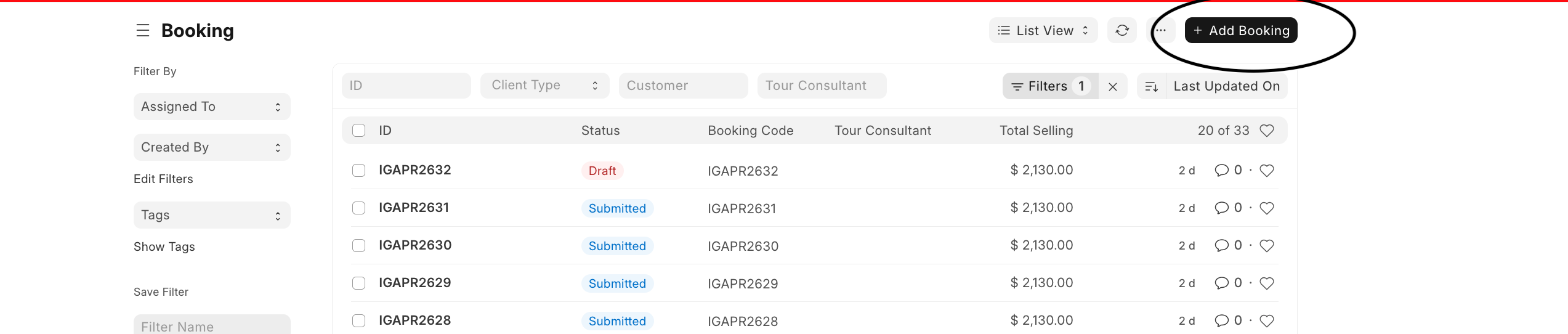
- From the Booking section on the dashboard, click Booking.
- This opens the booking list, where existing bookings are displayed.
- On the Booking list page, click + Add Booking at the top right.
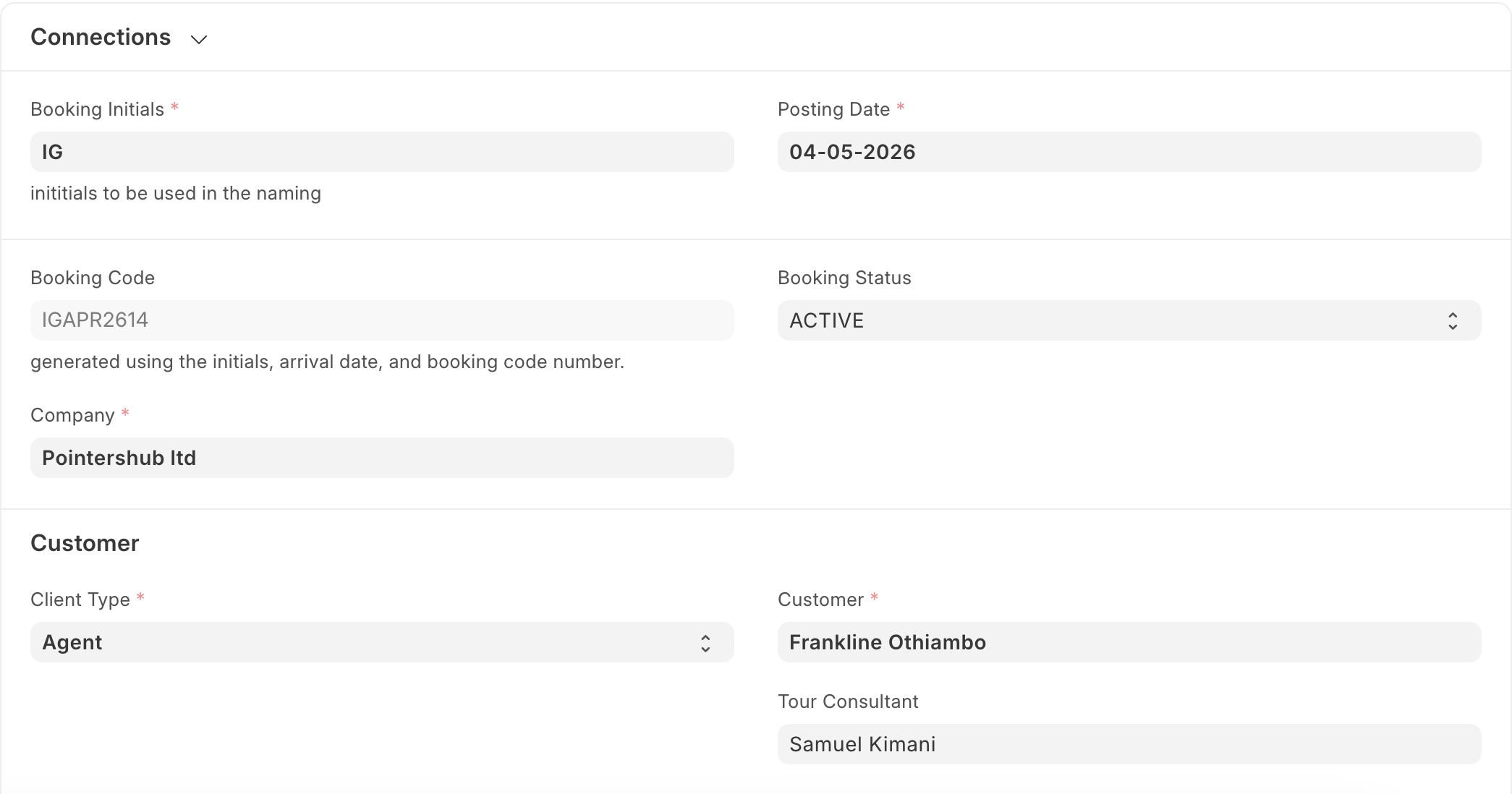
- Fill the details:
- Booking Initials
- Posting Date
- Booking Code (auto-generated)
- Booking Status (Active, Canceled, Closed)
- Company
Under the Customer Section:
- Client Type
- Customer
- Tour Consultant
Last updated 4 months ago
Was this helpful?