How to create a Purchase Invoice
Purchase Invoice
A Purchase Invoice is a supplier bill recorded in the system for services or items purchased for a booking. It confirms what the supplier is charging and is used for supplier payment and accounting records.
How to Create a Purchase Invoice
- Open the relevant Booking record.
- Click Create at the top-right of the page.
- Select Purchase Invoice from the dropdown menu.

- In the Select Supplier pop-up, choose the supplier.
- Click Create Purchase Invoice.
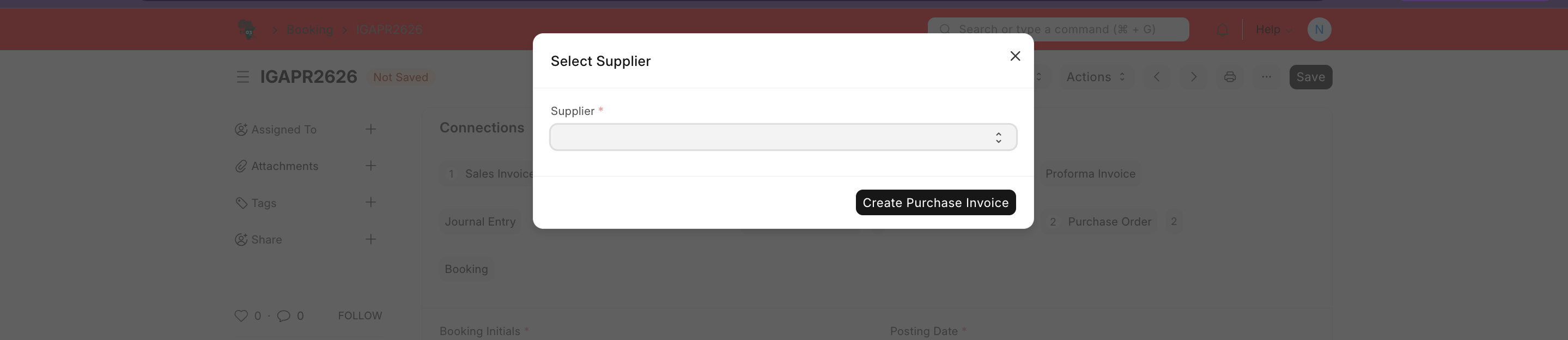
- A new Purchase Invoice will open in Draft/Not Saved status.
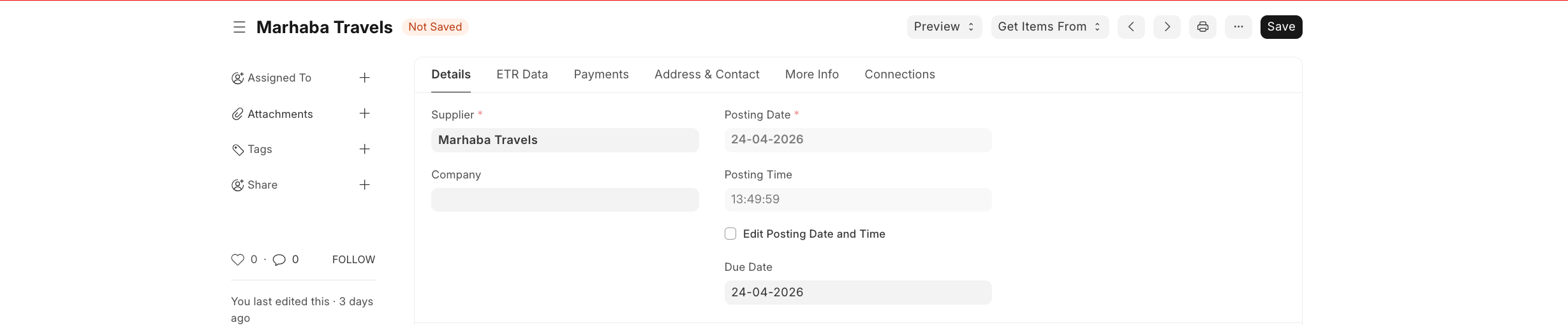
- Review the main details:
- Supplier
- Supplier name
- Company
- Posting date and time
- Due date
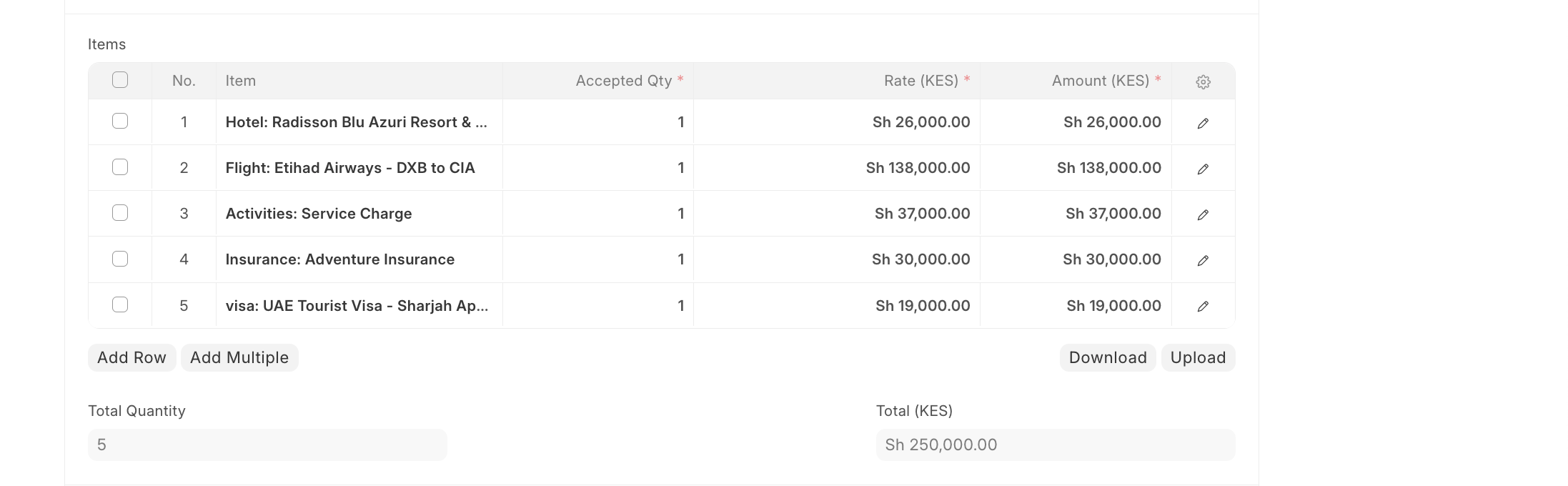
- Check the Items table and confirm.
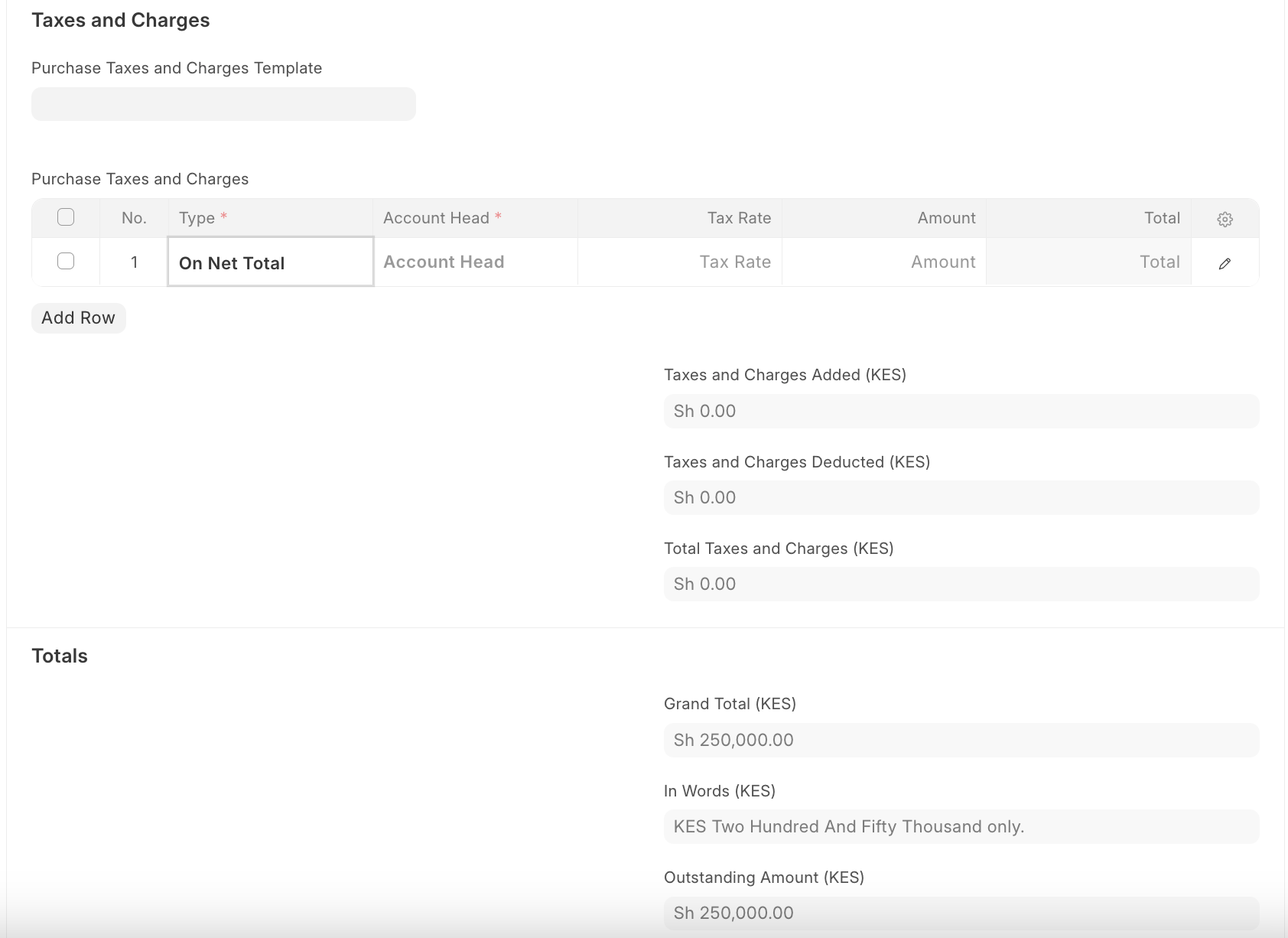
- Review Taxes and Charges if applicable.
- Confirm the totals:
- Grand total
- Amount in words
- Outstanding amount
- Click Save, then Submit to confirm the Purchase Invoice.
Last updated 4 months ago
Was this helpful?