Customer Portal Creation Guide
- Search the customer created (e.g., Clive Omondi)
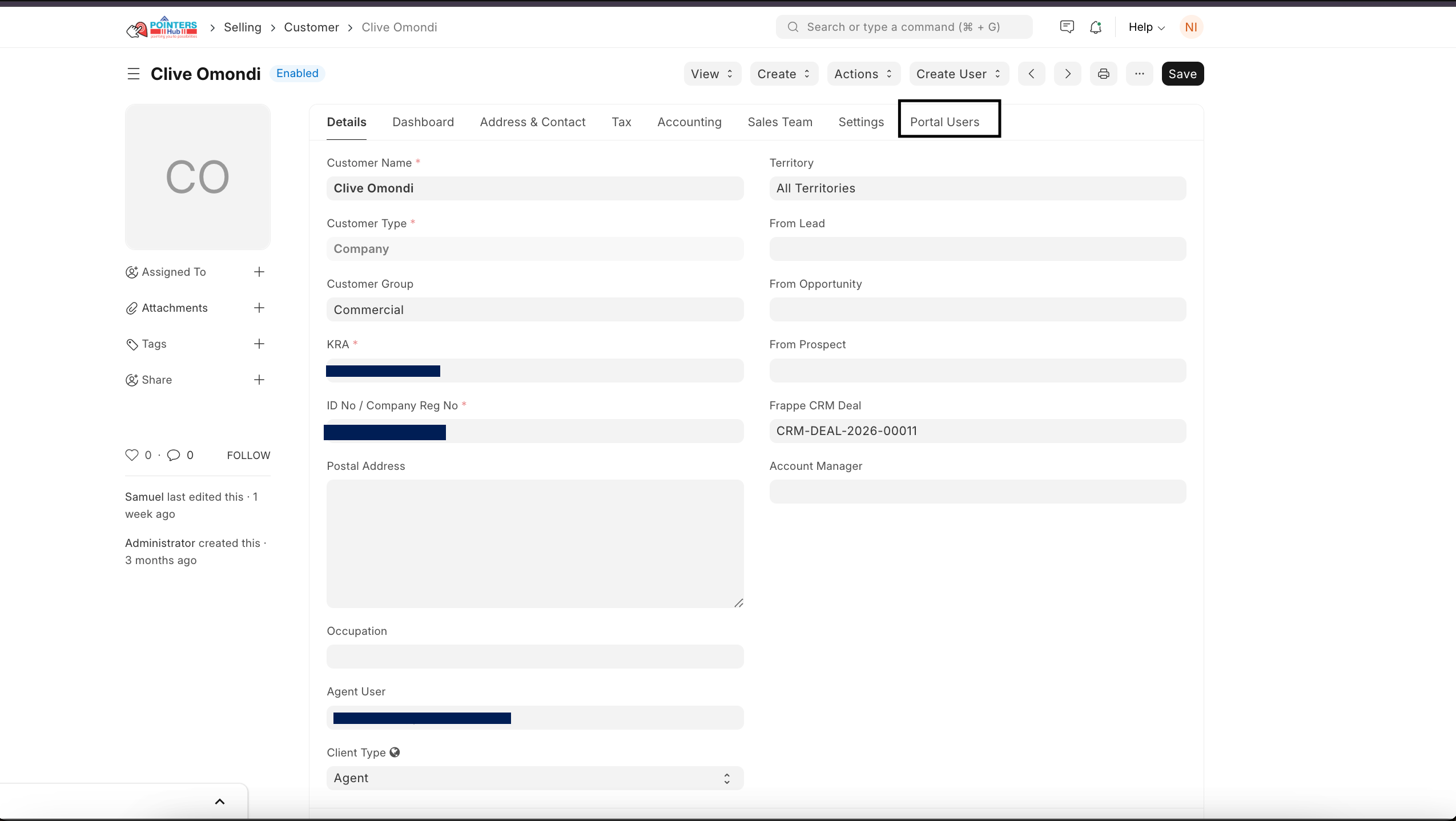
- Navigate to the Portal Users tab. Use the arrow to open user to portal settings.

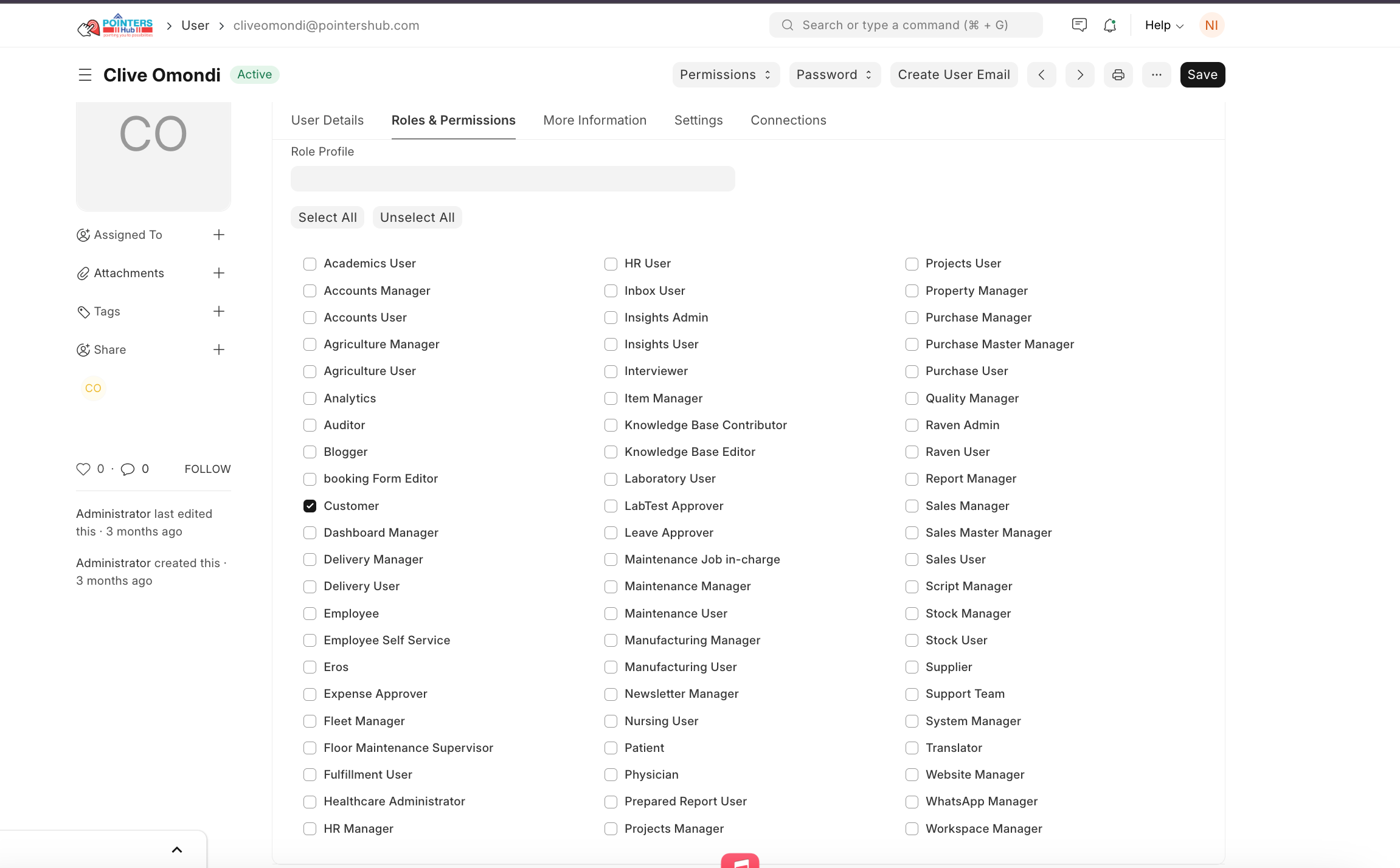
- Under Customer Portal Users:
- Check the roles and permissions (Customer)
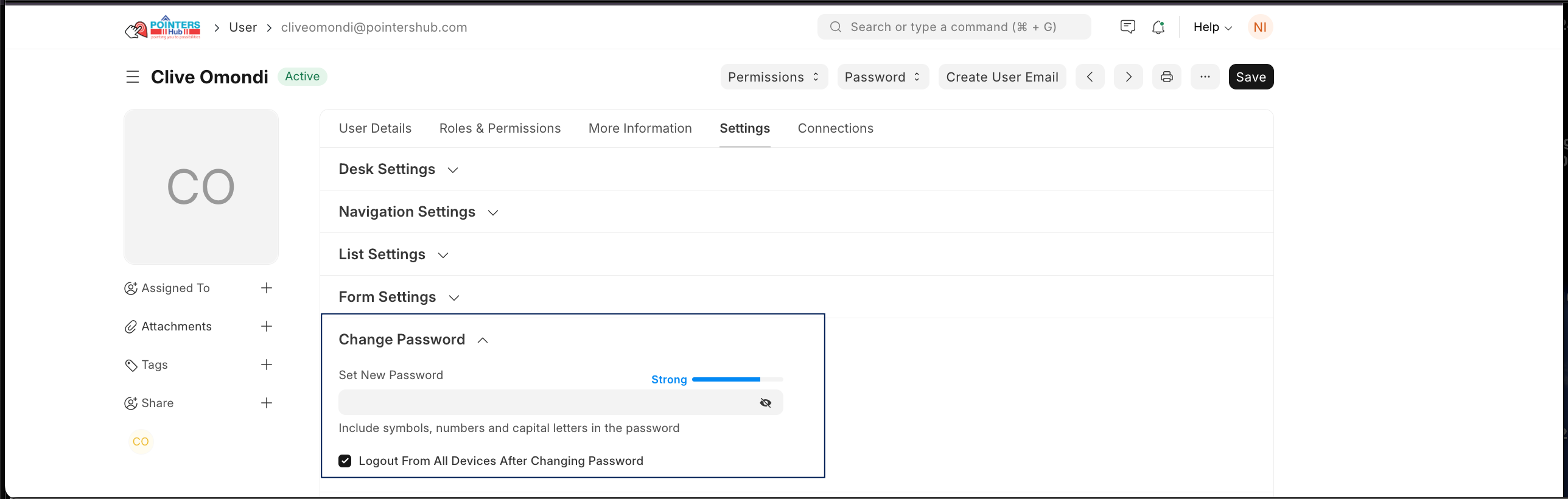
- Click on settings and set the customer user password.
Last updated 3 months ago
Was this helpful?